EVE Online Tooling
Free, open-source desktop tools for EVE Online — industry, market, character and intel, in one app (Linux · macOS · Windows). Built with Tauri 2 + React/TypeScript; data from EVE’s public ESI API and the SDE.
⬇ Download the latest release · Source on GitHub
What it is
- One app, many modules — log in one or more characters via EVE SSO (tokens live in your OS keychain), or use the public market/industry tools with no login at all.
- Local & private — everything runs on your machine; ESI/SDE data is cached locally. No account, no telemetry. Two things leave your machine: a Feedback submission (only when you press send, payload shown first) and an opt-out update check on startup — one anonymous request to GitHub’s public release list, no usage data attached, toggle it off in Settings.
- Free & open source under the MIT license.
Modules
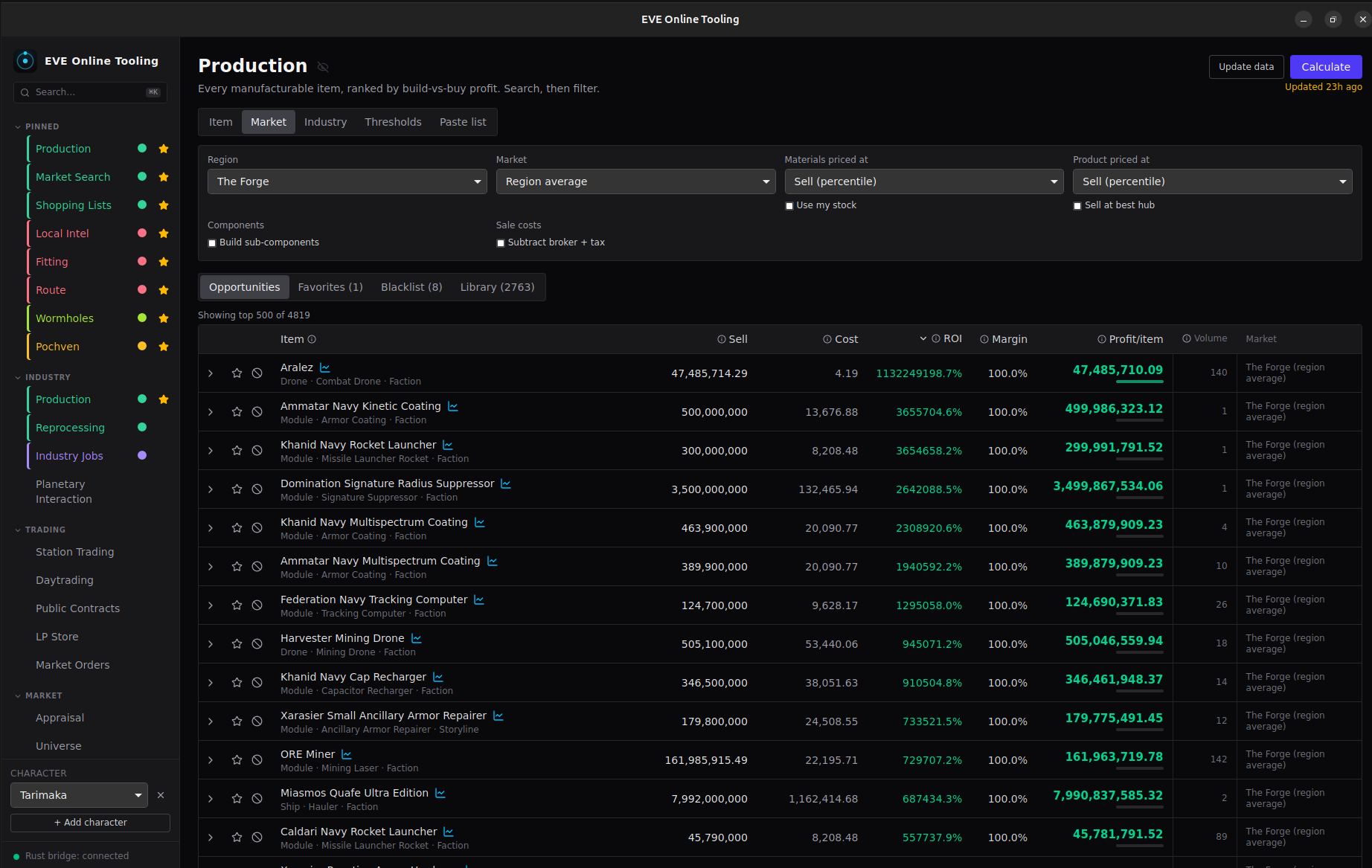
Industry — Production (build-vs-buy profit for every manufacturable item, recursive, T2 invention, T3 relics), Reprocessing, Industry Jobs, Planetary Interaction.
Trading & market — Station Trading, Daytrading, Market Orders (undercut detection + build-cost guard), Market Search, Appraisal, Public Contracts, LP Store.
Character — Assets, Character (skills/standings/research), Accounting, Transactions, Notifications, Fitting (a PYFA-grade fit editor + dogma engine), Shopping Lists.
Combat / Intel — PVP (pilot threat + fit profiler from zKillboard), Local Intel, DPS Meter, automatic combat recording (OBS / command hooks), Route, Wormholes, Pochven, Universe, Incursions, Faction Warfare, Exploration.
Extend it — Scripts (Rhai/JS on a timer), Plugins (sandboxed WASM + UI), and an MCP bridge.
Support — Feedback (rate a module, report a bug, ask for a feature), Info Panel, Notes (Markdown/text/CSV notes in folders, tagged and searchable, kept on your shared drive when sync is set up).
Install
Grab the installer for your OS from the
latest release:
.AppImage / .deb / .rpm (Linux), .dmg (macOS), .msi / -setup.exe
(Windows).
The builds are currently unsigned, so your OS warns on first launch (macOS: right-click → Open; Windows: More info → Run anyway). We have applied to the SignPath Foundation for free Windows code signing and would be grateful for their support; nothing is signed until that is granted. Background: SIGNING.md.
Build from source
Prerequisites, dev commands and the release process are in the development guide.